Automatic Email Manager
Automate Your Email Workflows and Routine Tasks
Description
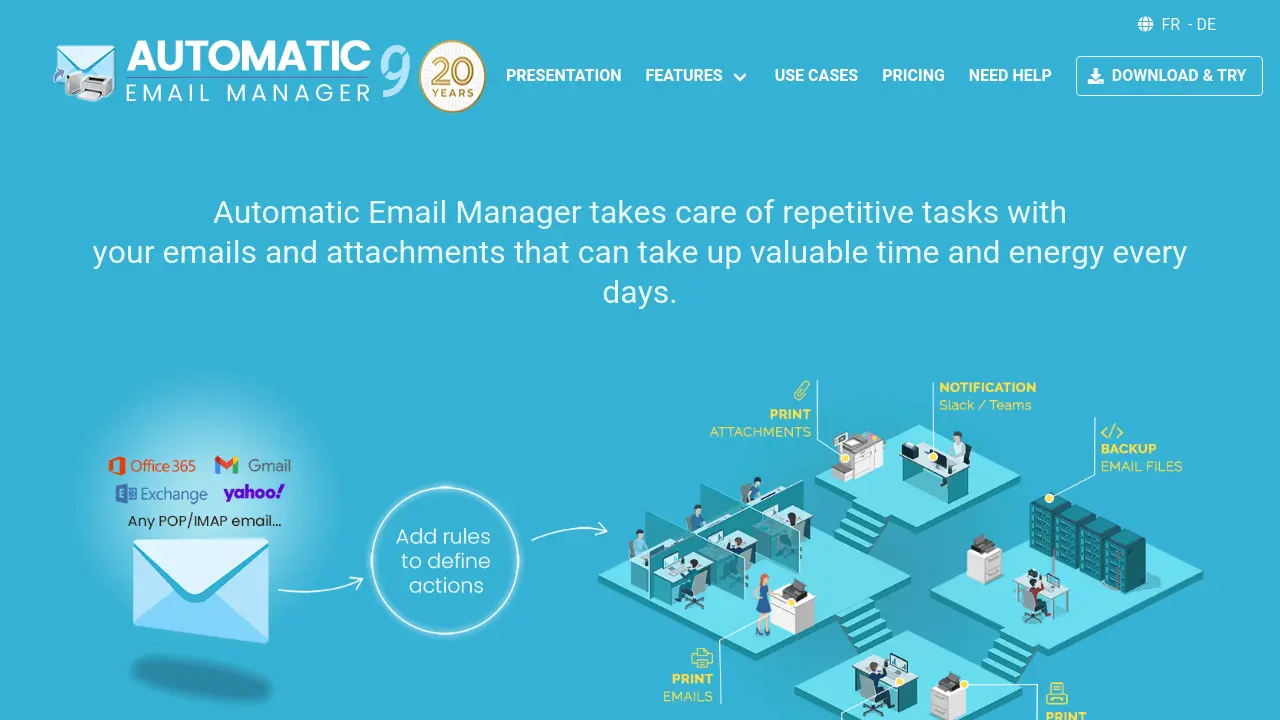
Automatic Email Manager enables users to streamline email management by automating a wide range of routine email tasks, entirely on a Windows PC or server. It connects seamlessly with all major email services and works independently, ensuring that emails and attachments are processed securely and locally.
The software can automatically monitor inboxes, trigger custom scenarios such as printing, saving, or notifying, and helps users to organize and archive messages without manual effort. By running as a background service, it saves time and reduces errors, making it ideal for professionals seeking to optimize their daily workflow through email automation.
Key Features
- Automated Printing: Print emails and attachments like PDF, Word, Excel, and images with customizable options.
- Email Conversion and Saving: Convert and save emails and attachments as PDF, EML, MSG, TXT, or image formats.
- Merge Email and Attachments: Combine emails with their attachments into a single PDF file.
- Automatic Reply and Forward: Automatically send, reply to, or forward emails using templates and include attachments.
- Integrated Notifications: Send real-time notifications and attachments to Slack, Microsoft Teams, or Telegram when specific emails arrive.
- Link Downloading: Download files from links embedded in email bodies and process them as attachments.
- Data Extraction: Extract data from email content with customizable extraction models for structured output.
- Inbox Organization: Delete, copy, move emails, and mark as read/unread based on conditions or schedules.
- Export Email to CSV: Export a list of emails and addresses in CSV format for backup or analysis.
- Secure Local Processing: All email data processed and stored only on the user's computer with no external transfer.
Use Cases
- Automatically print invoices, order confirmations, or digital faxes on arrival.
- Save or back up emails and attachments in PDF or other formats for record keeping.
- Set up real-time notifications on phone or team chats for critical inbound emails.
- Automate sending confirmations or forwarding emails based on specific sender or content conditions.
- Extract order information or addresses from e-commerce emails for streamlined order processing.
- Manage email inbox by moving, archiving, or deleting messages automatically.
- Download and process files linked within emails, such as reports or receipts.
- Support pharmacy and retail workflows by automating prescription or receipt printing.
Frequently Asked Questions
Does Automatic Email Manager store or process my data externally?
No, all data is processed and stored locally on the PC or server where Automatic Email Manager is installed.
Which operating systems does Automatic Email Manager support?
Automatic Email Manager can be installed on Windows 11, 10, 8, and Windows Server 2025, 2022, 2019, and 2016.
Which email services are compatible with Automatic Email Manager?
It connects with major email providers including Gmail, Office 365, Exchange, Yahoo, Hotmail, iCloud, any IMAP or POP accounts.
Is there a free trial available?
Yes, you can try Automatic Email Manager for 30 days without registration or credit card.
Can data be extracted from email content automatically?
Yes, the tool offers powerful data extraction models to capture structured information from emails.
You Might Also Like

Pyze
Contact for PricingAutomate Operational Excellence with Low Code Process Intelligence

Techdrill Software Platform
Contact for PricingIntegrated Well Construction Software for Efficient Operations

Phantom: Lofi Tutor
FreePremium Copilot powered by Google Bard and Bing Chat

LoveGenius
FreemiumAI-powered bios and openers for more matches and dates.

PixelGenie
FreemiumTurn Your Pet into an AI Model with our AI Pet Portrait Generator