
betterjson.com
Your JSON made better.
Description
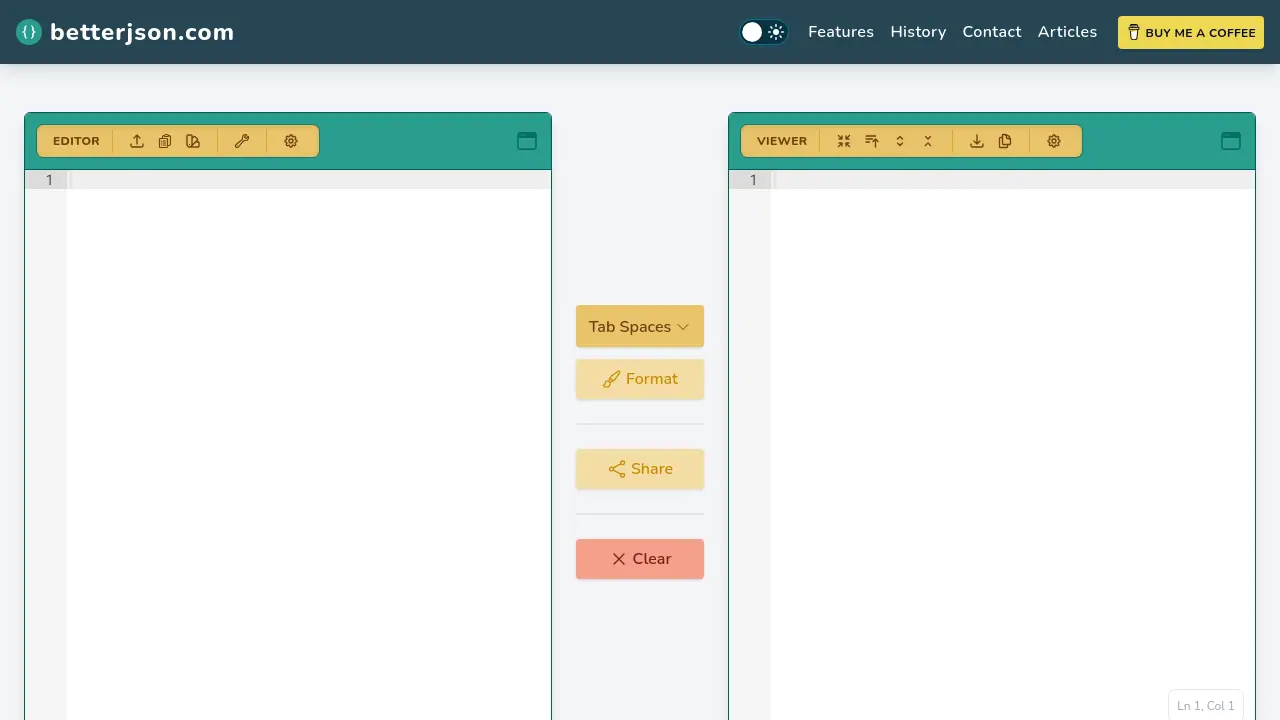
betterjson.com is a secure, web-based tool designed for quick and easy JSON validation, formatting, and manipulation. All JSON processing is performed client-side, ensuring users’ data remains private and isn’t sent to external servers. Users can upload or paste their JSON, instantly validate its correctness, and format it for better readability with adjustable indentation preferences.
The platform offers advanced capabilities including JSON repair, minification, natural language filtering powered by AI to convert plain language queries into JSONPath expressions, and generating shareable links. Export options are available for multiple formats such as JSON, XML, YAML, and CSV. The tool is entirely free to use and provides features like dark mode, fullscreen editor, and in-line error feedback, making it ideal for developers and data professionals.
Key Features
- Client-Side Processing: All JSON processing occurs locally, ensuring data privacy.
- JSON Validation: Instantly validates JSON and highlights errors in-line.
- JSON Formatting: Formats and beautifies JSON with customizable tab spacing.
- JSON Repair: Repairs malformed JSON by fixing quotes, removing comments, and more.
- Natural Language Filtering: Uses AI to convert natural language queries into JSONPath expressions for advanced filtering.
- File Import & Upload: Accepts JSON via paste or direct file upload.
- Minify JSON: Compacts JSON to reduce file size with a single click.
- Shareable Links: Generates links to formatted JSON with optional line highlighting.
- Multi-Format Export: Exports JSON as JSON, XML, YAML, or CSV.
- User Experience Enhancements: Supports dark mode, fullscreen editor, and quick copy/download.
Use Cases
- Quickly validating large JSON files for errors
- Beautifying or minifying JSON for code reviews
- Repairing malformed or inconsistent JSON data
- Filtering JSON data with natural language queries
- Sharing formatted JSON snippets with team members
- Exporting JSON to formats like YAML, XML, or CSV
- Previewing and editing JSON structures in fullscreen mode
- Working with sensitive JSON without server exposure
Frequently Asked Questions
Is my JSON data sent to your servers?
No, all JSON processing is handled client-side to ensure your data remains private and is not transmitted to external servers.
Can I filter JSON using natural language?
Yes, betterjson.com supports AI-powered natural language filtering, allowing you to write plain language filters that are converted to valid JSONPath expressions.
What export formats are available?
JSON files can be exported in JSON, XML, YAML, or CSV formats.
How do I contact support?
You can contact support by emailing support@betterjson.com.
What does it cost to use betterjson.com?
The tool is completely free to use.
You Might Also Like

Shovel AI
FreemiumYour AI Toolkit for Limitless Creativity

ChatGPT Deep Research
PaidTransform hours of complex research into minutes with OpenAI's advanced o3 model.

JobtitlesAI
FreemiumAccurately classify any job title using AI

Prénom Bébé Parfait
FreeDécouvrez le prénom parfait pour votre bébé avec l’IA

Read AI
FreemiumYour AI copilot—transforming meetings, emails, and messages into summaries, insights, and instant answers wherever you work.