
Buddy Punch
Easy to Use and Affordable Employee Time Clock Software
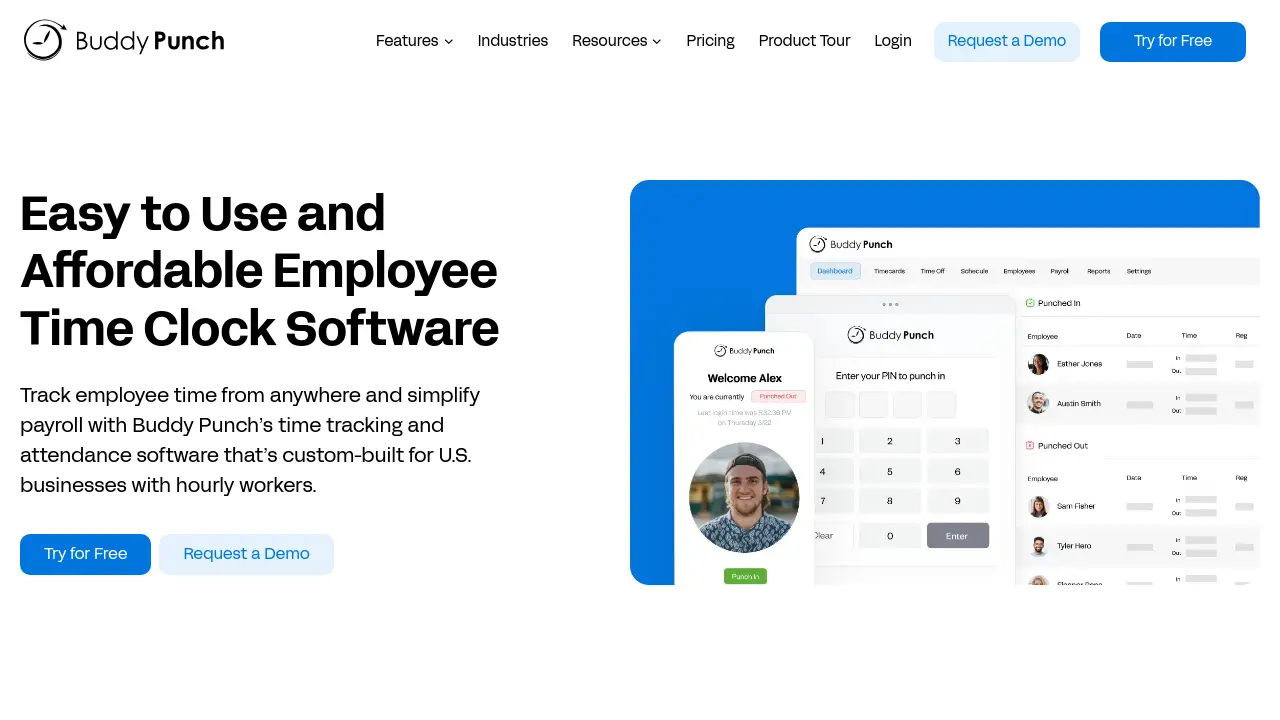
Description
Buddy Punch streamlines employee time tracking, payroll, and workforce scheduling with an easy-to-use, cloud-based platform. Designed primarily for U.S. businesses with hourly workers, it provides real-time visibility into attendance, payroll automation, and location-aware punching through GPS and geofencing.
The platform also simplifies complex tasks such as PTO accrual, compliance with break and overtime laws, and generating reports for payroll providers. With integrations to popular payroll solutions and intuitive mobile access, Buddy Punch helps businesses save time, reduce labor costs, and ensure accountability across remote, on-site, or field teams.
Key Features
- Time Tracking: Track employee hours and overtime from any location
- Employee Scheduling: Create and manage employee schedules with a drag-and-drop builder
- Payroll: Automate payroll and sync with leading payroll providers
- Attendance Tracking: Monitor late arrivals, early outs, and missed shifts
- PTO Tracking: Automate accruals, manage time off requests, and include PTO in payroll
- GPS Tracking: Capture employee locations during clock-in and out for accountability
- Geofencing: Restrict punch-ins to specific, approved GPS locations
- Photos on Punch: Require employee selfies at clock-in/out for verification
- Mobile Apps: Allow staff to clock in and manage schedules via iOS or Android devices
- Facial Recognition: Use biometric verification for time clock kiosks
- Reports: Generate detailed time, attendance, and payroll reports
- Integrations: Connect with payroll and accounting tools like QuickBooks, ADP, Gusto
- Job Costing: Track hours and labor costs by job, department, or project
- Break Tracking: Enforce and document compliance with break rules
Use Cases
- Time tracking for field service teams
- Managing hourly employees in construction
- Scheduling shifts for healthcare staff
- Processing payroll for small businesses
- Automating PTO tracking and approvals
- Ensuring compliance with labor regulations
- Monitoring remote and office employee attendance
- Tracking hours and job costing for professional services
Frequently Asked Questions
How are the plans different?
Plans differ mainly in the features offered. The Starter plan provides essential time tracking, Pro adds advanced workforce management tools like scheduling and geofencing, while Enterprise includes API access, dedicated support, and real-time GPS.
Are there any additional fees beyond the monthly or annual cost?
Each plan charges a base fee plus a per user fee, billed monthly or annually. There are no setup, termination, or hidden fees.
How does the free trial work?
You can try all features for free for 14 days with no credit card required. After the trial, payment is required to continue using the service.
How is employee count determined for billing?
Only active employees and managers count toward your billing total. Administrators are free and do not incur additional charges.
Can I change or cancel my plan at any time?
You can upgrade plans, adjust employee count, or cancel your subscription at any time via your account billing settings.
You Might Also Like

the100kPrompts
Pay OnceEvery Ai prompt that you’ll ever need

Whimsical
FreemiumWork calmly in one interconnected workspace with Whimsical.

Objective Management Group
Contact for PricingAssess and Develop the Salespeople Who Will Win.

OpenNN
FreeBuild the most powerful models with C++

Sticker Maker AI
PaidGenerate Custom AI Stickers Instantly