
ClassPoint
Supercharge your teaching with PowerPoint.
Description
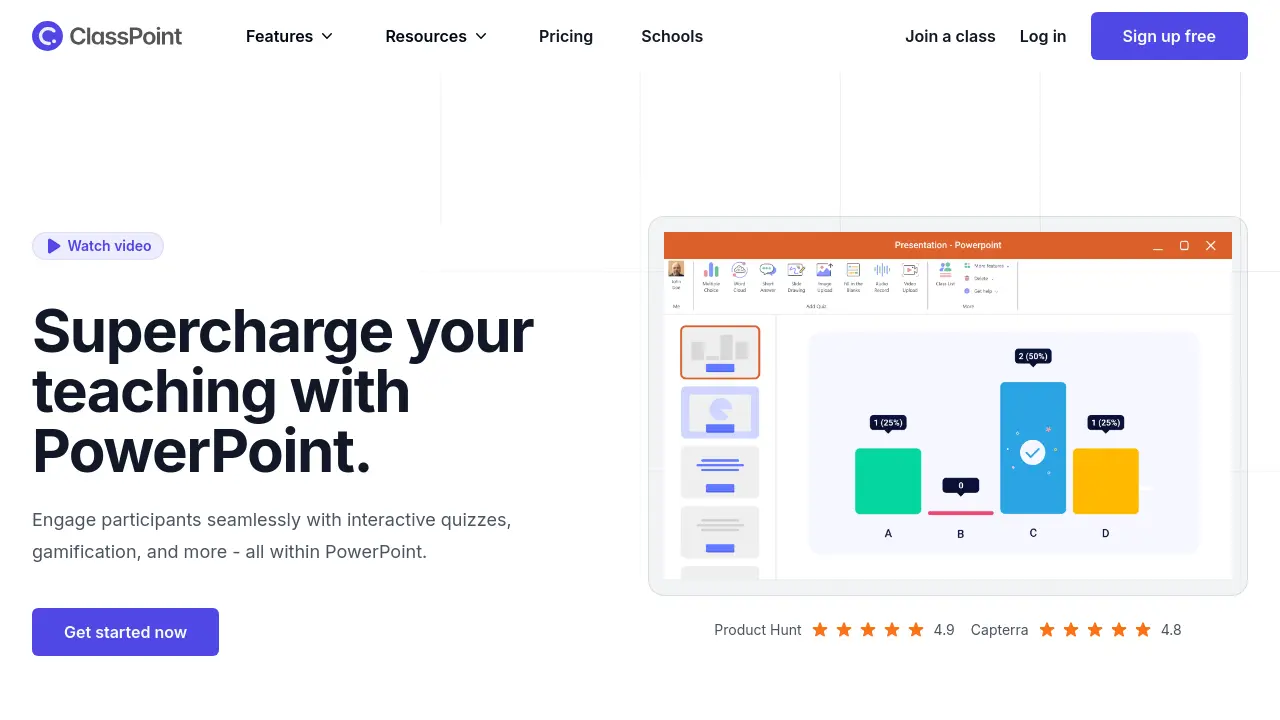
ClassPoint is an interactive teaching and training tool designed to seamlessly integrate within Microsoft PowerPoint. It empowers educators and presenters to enhance audience engagement without needing to switch between different applications. The tool provides a suite of features directly accessible within the familiar PowerPoint interface, aiming to make presentations more dynamic and participatory.
By embedding functionalities like real-time interactive quizzes, artificial intelligence for quiz generation based on slide content, and gamification elements such as points and leaderboards, ClassPoint transforms standard presentations into engaging learning experiences. It also includes various presentation aids like annotation tools, timers, and interactive whiteboards, offering an all-in-one solution to foster active participation and assess understanding during live sessions.
Key Features
- Interactive Quizzes: Create and run various real-time quiz types (Multiple Choice, Word Cloud, Fill in the Blanks, Short Answer, Video Upload, Image Upload, Slide Drawing, Audio Record) directly within PowerPoint.
- AI Quiz Generator: Automatically generates quiz questions from PowerPoint slide content using AI, with options for Bloom's taxonomy levels and multi-language support.
- Gamification: Incorporates game mechanics like awarding stars, setting levels and badges, and displaying leaderboards to motivate participants.
- Presentation Tools: Offers annotation tools, text boxes, timer/stopwatch, shapes, random name picker, whiteboard backgrounds, draggable slide objects, and an embedded web browser for use during slideshows.
- Native PowerPoint Integration: Works as an add-in directly within Microsoft PowerPoint, minimizing the learning curve and allowing reuse of existing presentations.
- Class Management: Allows saving classes, managing participants, and tracking engagement within PowerPoint.
- Live Q&A: Enables participants to ask questions live during the presentation (Premium feature).
- Grouping: Allows presenters to group participants for activities (Premium feature).
Use Cases
- Enhancing classroom engagement during lessons.
- Conducting interactive training sessions.
- Creating and delivering quizzes within presentations.
- Gamifying learning activities and participation.
- Improving remote and hybrid teaching effectiveness.
- Gathering real-time student feedback and formative assessment data.
- Making corporate presentations more interactive.
You Might Also Like

Xound
FreemiumClear voice, powerful impact.

Habitomic Coach
FreemiumLet's turn self-improvement into a playful journey just for you.

Metaforms
Contact for PricingAI Agents for Market Research Operations

Pixel-Art.ai
FreemiumAI Pixel Art Generator Create Vibrant Pixel Art Online

A2E
FreemiumCreate Professional AI-Generated Videos Instantly