
NordQR
Effortless QR code menus for modern restaurants.
Description
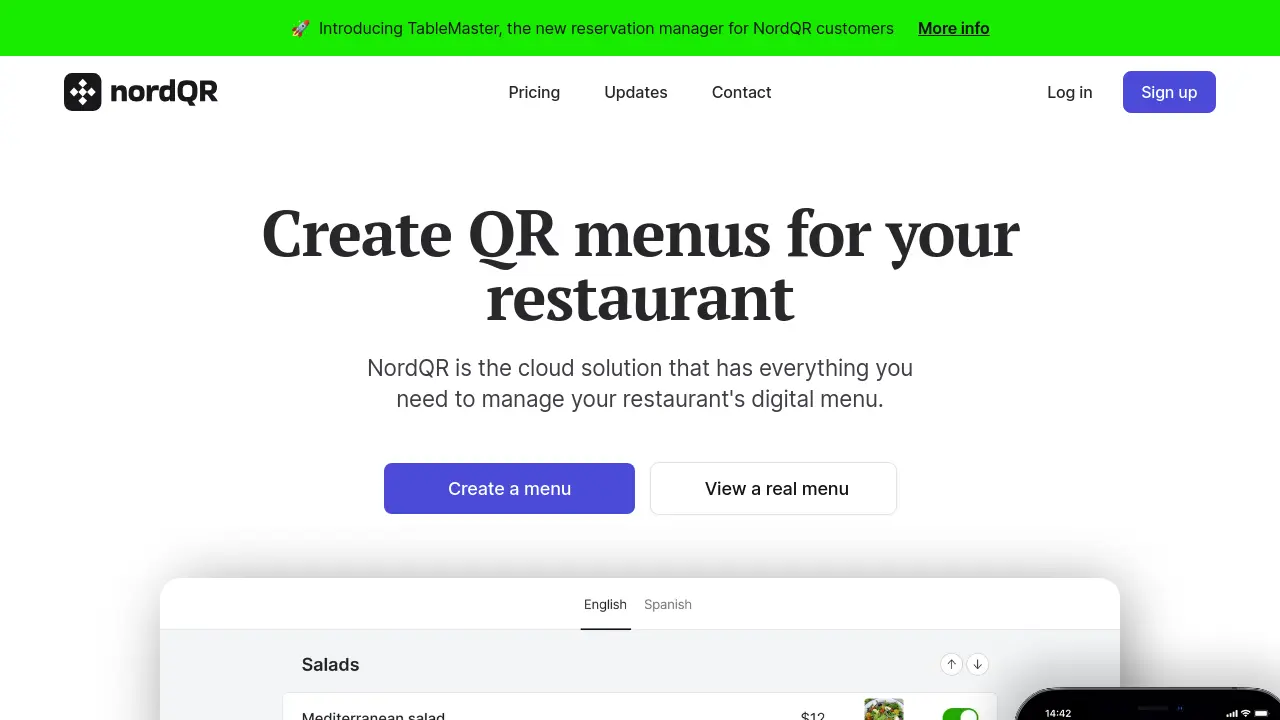
NordQR is a comprehensive digital menu management platform designed for restaurants seeking a modern and efficient solution. Through cloud-based technology, it enables the creation of elegant, intuitive menus that diners can access instantly by scanning a QR code, without the need for app downloads. All changes made to the menu are automatically synchronized, saving both time and printing costs while ensuring guests always see the latest offerings.
The platform enhances the dining experience with features like automatic menu translation into multiple languages, seamless integration of Google Business Profile reviews directly on the digital menu, and detailed allergen tagging for safer dining. NordQR is accessible on any device, supports collaboration among restaurant team members, and accommodates multiple restaurant locations from a centralized dashboard.
Key Features
- QR Menu Creation: Generate digital menus accessible via QR code.
- Instant Updates: All menu edits sync instantly to QR codes without reprinting.
- Multilingual Support: Offer menus in up to 10 languages with automatic translation.
- Google Reviews Integration: Display and collect Google reviews directly on the menu.
- Allergen Tagging: Tag allergens in dishes for safer dining.
- Team Collaboration: Invite multiple users to manage menus together.
- Multiple Restaurants: Manage multiple restaurant locations from one account.
- Custom Domain: Connect menus to a custom domain (high-tier plan).
- Menu Analytics: Visualize customer visits and scans.
- Printable QR Stickers: Receive or print ready-to-use QR stickers for tables.
Use Cases
- Digitalizing restaurant menus with QR codes
- Providing multilingual menus for foreign customers
- Displaying Google reviews alongside menu items
- Managing menu updates across multiple locations
- Highlighting allergens for customer safety
- Collaborating with team members on menu management
- Enabling instant menu changes during service
Frequently Asked Questions
Is NordQR an app?
NordQR is not a native app and your customers do not need to download anything from the App Store or Play Store. When customers scan your QR code, they are redirected to a web page displaying your restaurant's menu.
Is it easy to create a menu with QR?
Yes, NordQR is easy to use and enables you to create a digital menu without programming or design knowledge. The menu editor supports drag-and-drop functionality and any changes are updated instantly with your QR code.
Can I change prices or dishes?
You can update all menu details at any time. If an item runs out, you can access the control panel to hide it from your menu immediately.
Is it possible to manage several restaurants?
You can associate multiple restaurants with the same NordQR account and switch between them from the control panel. Each restaurant requires its own plan.
Can I use NordQR for free?
Yes, NordQR offers a Basic plan that is free forever. To access more features or higher limits, you can upgrade to a paid plan at any time.
You Might Also Like
SlideFlow AI
FreemiumCreate Powerpoint Presentations with AI in seconds.

Claid AI
FreemiumPro-quality product photos in seconds

Chatbot Daddy
FreemiumBuild high-converting chatbots - No coding required.

SleepSpace
Free TrialGo beyond sleep tracking to improve your sleep quality.

AvantLink
Contact for PricingThe People Platform