
Textomap
Create interactive maps from any content in seconds.
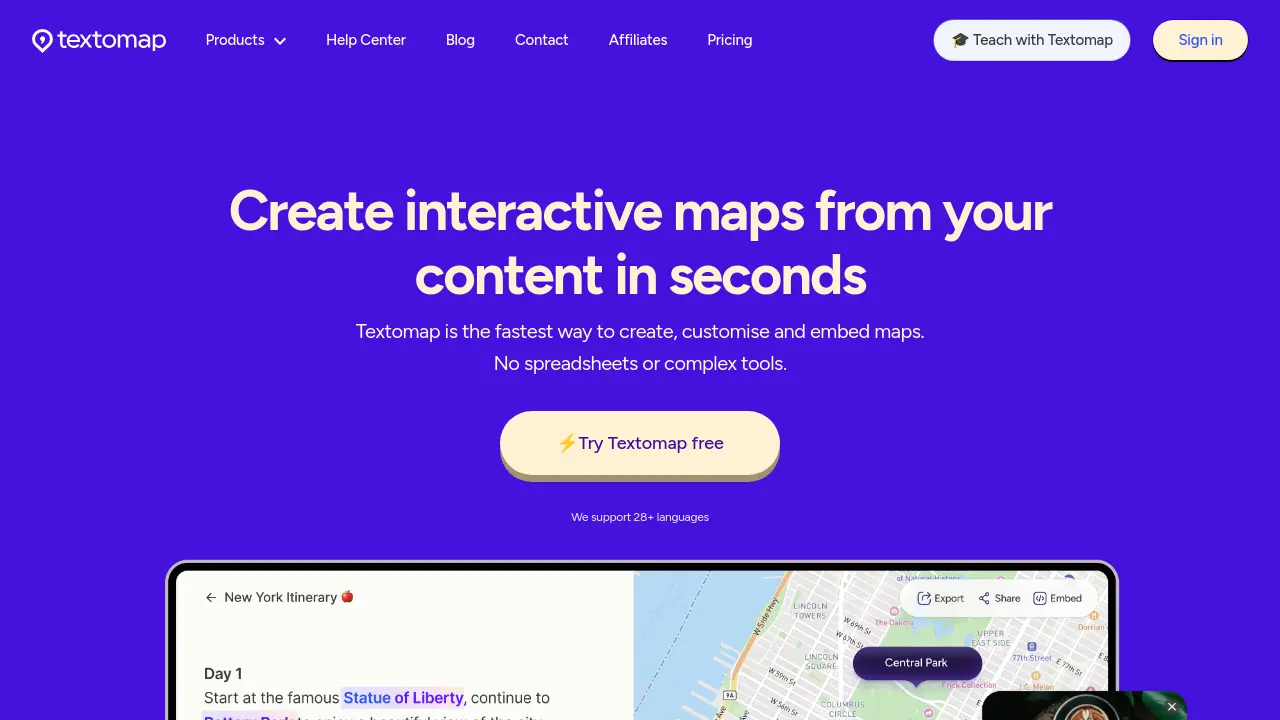
Description
Textomap enables users to rapidly generate interactive maps from diverse sources, including raw text, images, data files, web links, audio, and AI prompts. Designed for simplicity and speed, users can create, customize, share, and embed maps directly from their content.
Supporting over 28 languages and integrating with Chrome and WordPress, Textomap streamlines the mapping process for educators, content creators, travel professionals, and anyone looking to visualize geographic information. Exports and sharing options allow easy collaboration or publishing across platforms.
Key Features
- Text-to-Map Creation: Automatically turn any written content into an interactive map
- Image-Based Mapping: Generate maps from images using AI-driven location detection
- AI Prompt Integration: Create maps from ChatGPT or custom prompts and questions
- Multi-Language Support: Supports over 28 languages for map creation
- Chrome Extension: Generate maps inline while browsing
- WordPress Plugin: Instantly embed maps into WordPress posts or pages
- Map Sharing & Embedding: Share maps via link or embed on any website
- CSV Import & Export: Easily plot and export location data from spreadsheets
- Bulk Location Handling: Supports hundreds of locations per map
- Personalized Student Accounts: Dedicated solutions for education including teacher and student access
Use Cases
- Visualizing class material for students
- Creating travel itineraries from articles or posts
- Mapping events for news and media stories
- Embedding interactive maps in blog or website content
- Generating custom maps for data presentations
- Rapid location visualization for research projects
- Teaching geography, history, or science with interactive maps
- Sharing routes or locations with clients or readers
Frequently Asked Questions
What can I use Textomap for?
Textomap lets you create interactive maps from any content, including text, images, URLs, CSV files, or AI/ChatGPT prompts. You can visualize locations, events, and data quickly and share or embed your maps anywhere.
How is Textomap different than other mapping tools?
Unlike traditional mapping software, Textomap automatically detects locations from content without manual pinning or spreadsheets. It works on desktop, mobile, and through its Chrome extension.
Can I create maps from images, URLs, or CSV files?
Yes, Textomap can generate maps from images by analyzing landmarks or location data, from URLs by extracting mentioned locations, and from CSV files containing addresses or coordinates.
Is there a free trial or free plan?
Yes, Textomap offers a free plan with limited features. Upgrading to paid plans unlocks advanced features and higher usage limits.
How can I contact support?
You can contact support via the chat bubble on the site or by emailing dario@textomap.com.
You Might Also Like

Octfolio
Contact for PricingA single source of truth for asbestos and HAZMAT management

SmartBear AI
Contact for PricingSmarter testing, powered by SmartBear AI

AI Chatbot Business in a Box
Pay OnceLaunch Your Chatbot Business Today
chl.li
PaidA simple, modern and privacy-friendly URL shortener.

WonderTale
FreemiumCo-Create Magical AI Stories for Children