
Working Copy
Powerful Git client for iOS with AI-assisted workflows
Description
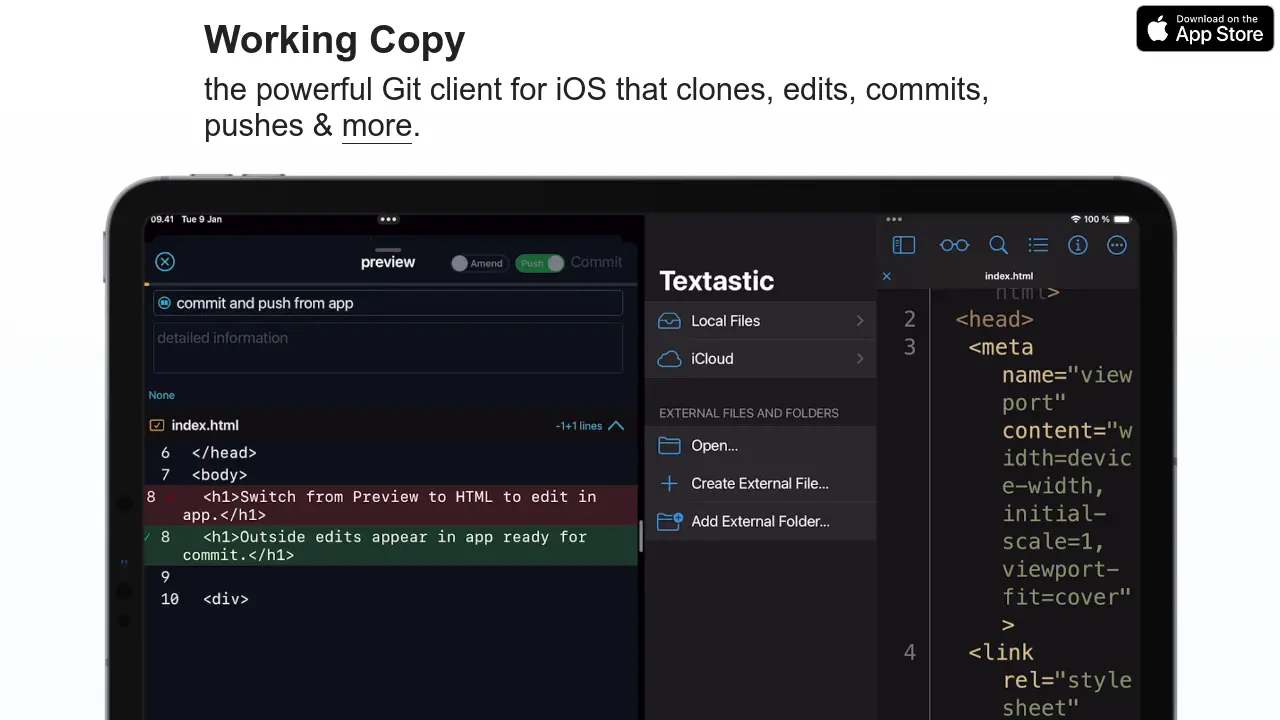
Working Copy is a robust Git client designed for iOS, allowing users to efficiently clone, edit, preview, and manage repositories directly from their iPhone or iPad. It provides seamless integration with popular code editors such as Textastic and supports essential Git operations, including commits, pushes, and conflict resolution.
With advanced features like AI-assisted code completion, commit recommendations, signed commits, Git LFS support, and workflow automation via Shortcuts and x-callback-url, Working Copy streamlines development and code collaboration on mobile devices. The application also supports offline repository management and secure workflows for teams and individuals.
Key Features
- Full Git Client: Clone, edit, commit, push, and manage repositories on iOS
- Editor Integration: Seamlessly integrates with Textastic and Files app
- Workflow Automation: Supports Shortcuts and x-callback-url for process automation
- GPT Assistance: AI-powered code completion and commit suggestions
- Repository Search: Search by filenames, symbols, or text occurrences
- Multi-Service Hosting: Integrates with GitHub and various other repository hosts
- Signed Commits: Enables secure workflows with commit signing
- Conflict Resolution: Dedicated tool for safe and efficient merge and rebase conflict resolution
- Large File Storage: Supports Git LFS for managing large assets
- Web IDE: Offers HTML preview with a JavaScript console
- Offline Access: Full repository management without internet connectivity
Use Cases
- Cloning and editing repositories on-the-go from an iPhone or iPad
- Reviewing and managing code changes while offline
- Automating Git workflows with Shortcuts integration
- Collaborating on code using AI-assisted commit messages
- Resolving merge and rebase conflicts efficiently
- Accessing and managing private or enterprise repositories remotely
- Blogging and content editing via Git-based workflows
- Integrating with other iOS productivity and code editing apps
Frequently Asked Questions
Does Working Copy support offline repository management?
Yes, Working Copy allows users to clone repositories and manage them fully, even when offline.
Is there a Mac version of Working Copy?
Working Copy for Mac is getting ready for release and users can sign up for launch updates.
Can Working Copy handle large files?
Working Copy supports Git LFS to efficiently manage large assets such as videos.
Does the app offer AI-assisted features?
Yes, Working Copy provides AI-powered code completion and commit suggestions, requiring user opt-in.
What code editors does Working Copy integrate with?
Working Copy integrates with editors such as Textastic, and works with the Files app for easy access.