Macro Recorder
Automate Mouse and Keyboard Actions with AI-Powered Macros
Free Trial
Description
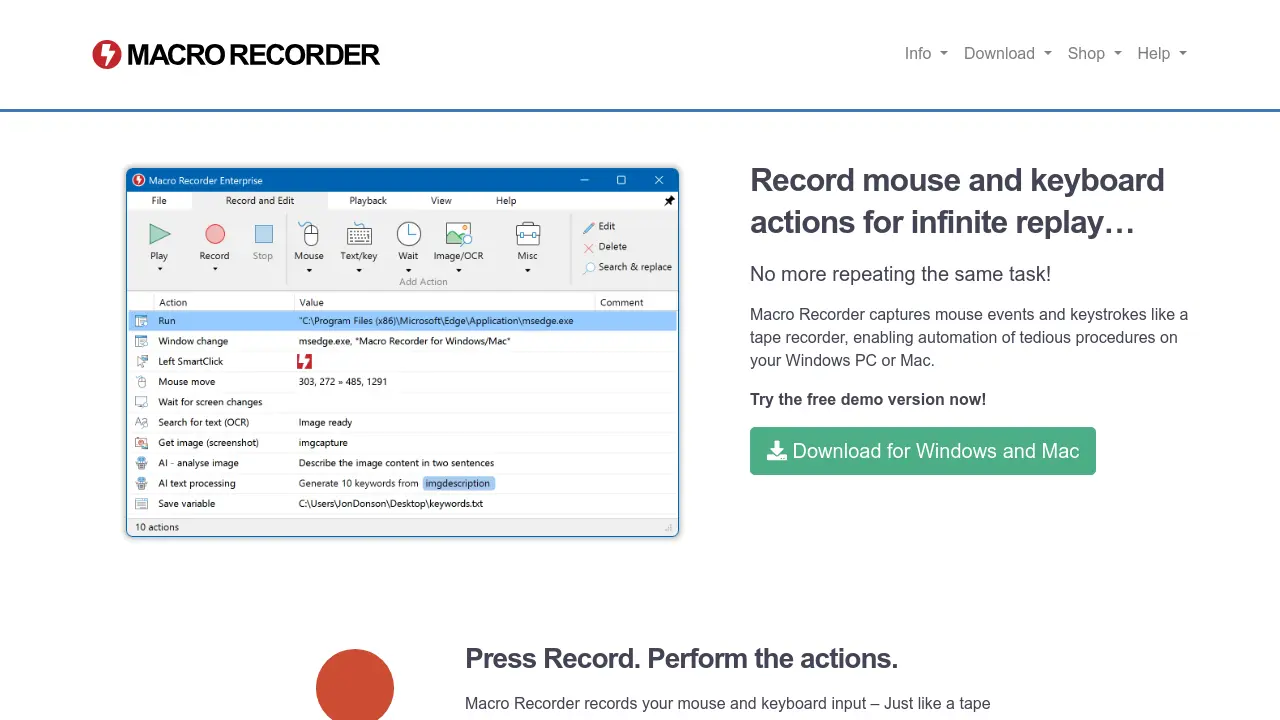
Macro Recorder is a versatile desktop automation tool designed to streamline repetitive tasks on Windows and Mac systems. By intuitively recording mouse movements and keyboard inputs, it enables users to automate complex workflows without any programming knowledge.
With powerful AI integrations, Macro Recorder enhances automation by offering features such as on-screen OCR, intelligent macro editing, web scraping, and barcode or QR code recognition. Users can manage and share macros easily through an accessible interface, making advanced automation simple and efficient for both individual professionals and teams.
Key Features
- AI-Powered Automation: Integrates OpenAI, Anthropic, and self-hosted models for intelligent desktop automation
- Macro Recording: Captures mouse and keyboard actions for infinite replay
- No-Code Interface: Enables automation without programming or scripting
- Desktop and Web Automation: Automates applications, web pages, and browsers
- Visual Click Recognition: Identifies click targets by visual context instead of coordinates
- On-Screen OCR: Extracts text from any portion of the screen
- Screenshot Automation: Takes and saves screenshots or uses them for AI analysis
- Web Scraping: Extracts and filters text content from web pages
- Barcode/QR Code Recognition: Reads and processes barcodes and QR codes
- Macro Sharing: Organizes and shares macros across networks with PhraseExpress integration
Use Cases
- Desktop application automation
- Repetitive task automation
- Web automation and scraping
- Screenshot capturing and management
- Text extraction from screen images
- Automated software testing
- Barcode and QR code data processing
- Team-wide macro sharing and management