
SensorCloud
Your data, anywhere. Instantly.
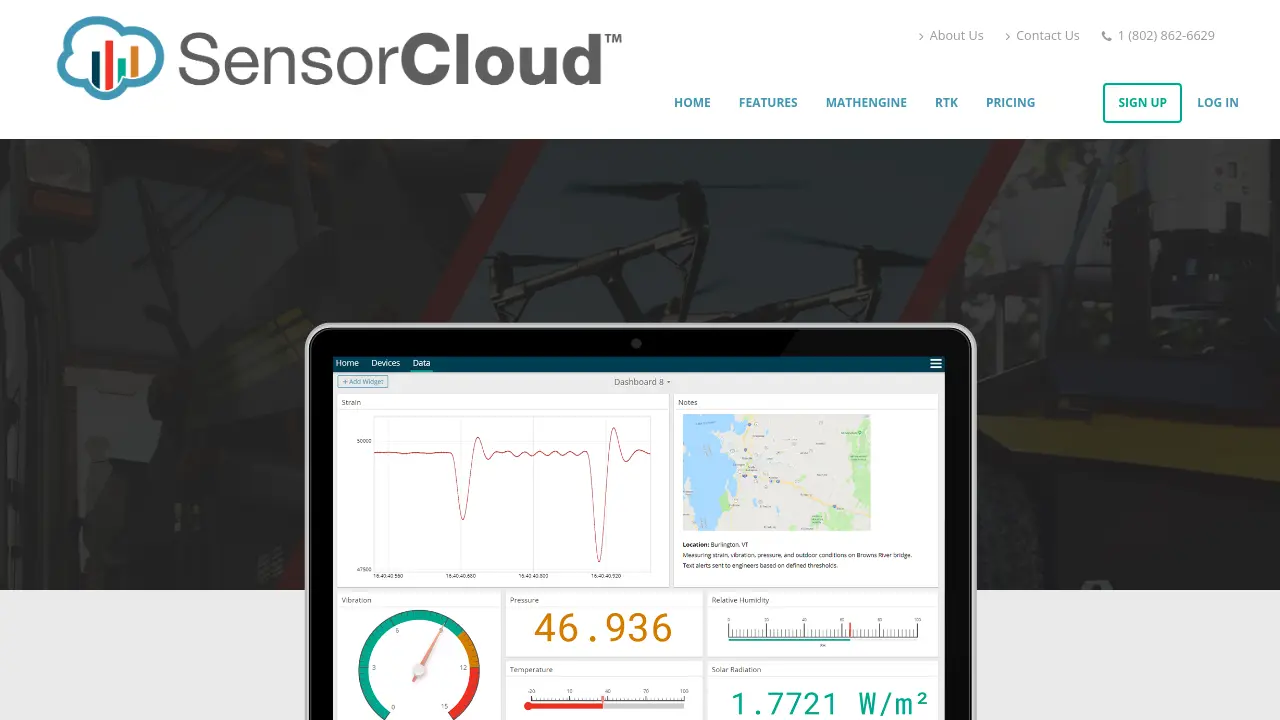
Description
SensorCloud is a scalable cloud platform designed for managing and processing sensor data from any location. Users can upload data through dedicated hardware, a RESTful API, or CSV upload, and instantly visualize large timeseries datasets with intuitive dashboards powered by FastGraph.
The platform offers real-time monitoring with customizable alerts, advanced analytics through MathEngine, and the flexibility of Python scripting via MathEngine Notebooks. SensorCloud integrates seamlessly with MicroStrain devices and desktop software, providing a unified experience for both local and cloud-based sensor data analysis.
Key Features
- Data Upload: Supports direct hardware device integration, RESTful API, and CSV drag-and-drop upload.
- FastGraph: Enables instant visualization of large-scale timeseries sensor data.
- Custom Dashboards: Create customizable dashboards with various widgets and visualization tools.
- Custom Alerts: Configure real-time alerts via email and SMS based on data thresholds or inactivity.
- MathEngine: Perform advanced analytics such as FFT, statistics, and multi-channel comparisons.
- MathEngine Notebooks: Use Python and Jupyter Notebooks with scientific libraries for custom analysis and scheduling.
- SensorConnect Integration: Seamlessly connect with desktop software for unified data access.
Use Cases
- Industrial sensor data monitoring
- Scientific analysis of experimental data
- Infrastructure and asset health tracking
- Automated alerts for mission-critical systems
- IoT device data management
- Custom analytics with Jupyter/Python scripting
Frequently Asked Questions
How can I upload my data to SensorCloud?
You can upload data using a WSDA-2000 device for direct integration, via SensorCloud’s RESTful Web API in Python, Java, C#, or LabVIEW, or by using the drag-and-drop CSV uploader.
What types of alerts can I configure in SensorCloud?
SensorCloud allows you to set customizable alerts based on data thresholds or inactivity, with notifications sent via email or SMS including event details.
Is MathEngine available on all plans?
Yes, MathEngine is available for all plans, including the free plan.
What programming languages are supported for data upload?
SensorCloud’s API provides example code in Python, Java, C#, and LabVIEW.
How does SensorCloud handle extra storage or transactions beyond my plan limits?
If you exceed your included storage or transaction limits, you will be billed based on additional usage as outlined in your plan. The Free plan will stop data uploads once the limit is exceeded.
You Might Also Like

CreditCore
Contact for PricingLoan Origination Solution Tailored for Community Banks

My Resume Hero
FreemiumApplying to Jobs Just Got Easier

Knolli
FreemiumMonetize your expertise and content. Launch profitable AI apps in minutes.

Waggle
Contact for PricingThe Team Performance Visibility You've Been Dreaming Of

Roark
PaidShip Voice AI Changes with Confidence